How to Switch Your Medical Practice Phone System Without Chaos
A practical guide to planning and executing a phone system migration for medical practices with minimal disruption to patient care.
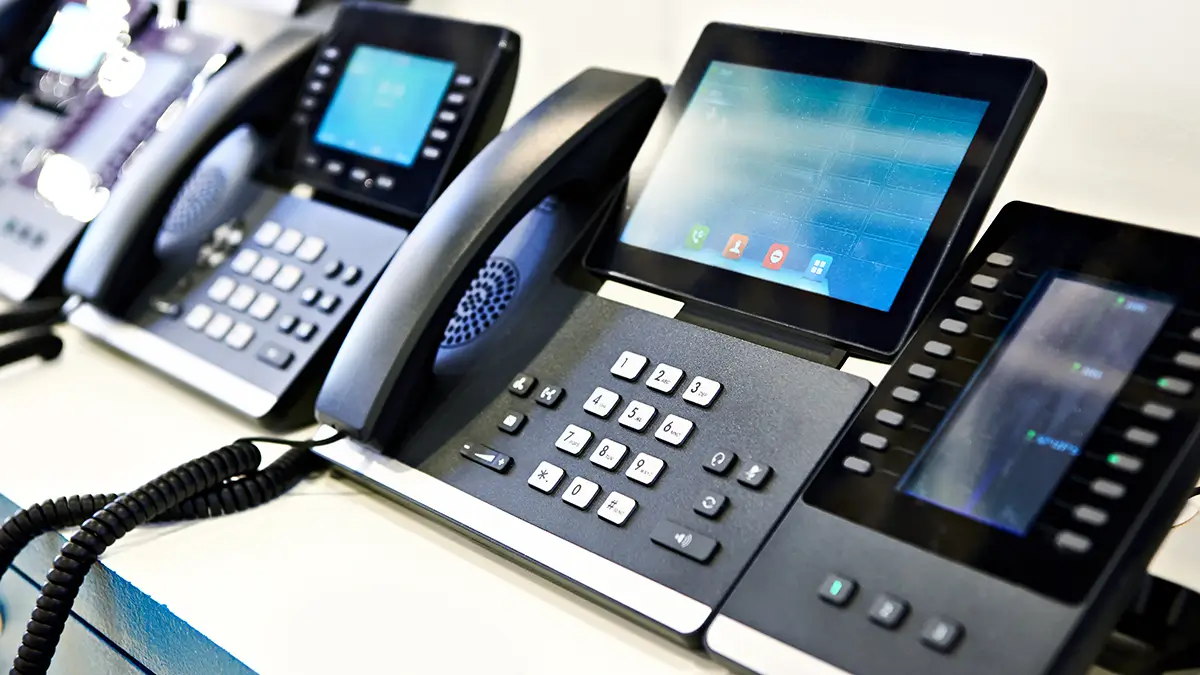
The phone system at your medical practice is mission-critical. Patients call to schedule appointments, physicians call with referrals, labs call with results. A phone outage isn’t just inconvenient—it disrupts patient care.
That’s why the idea of switching phone systems terrifies most practice managers. What if something goes wrong? What if calls get dropped? What if staff can’t figure out the new system?
The good news: phone system migrations happen every day, and when done right, patients never notice. Here’s how to switch your medical practice phone system without chaos.
Why Practices Hesitate (And Why They Shouldn’t)
Let’s address the fears directly:
“What if we lose calls during the switch?”
Reality: Modern migrations are designed for zero downtime. Your old number continues working until the exact moment it transfers to the new system. There’s no gap.
”What if staff can’t learn the new system?”
Reality: Modern VoIP phones are intuitive. Basic functions—answering, transferring, voicemail—work similarly to what staff already know. Most people are comfortable within a day.
”What if the new system doesn’t work right?”
Reality: That’s what testing is for. You’ll validate everything before going live. And reputable providers offer support if issues arise.
”What if we hate it?”
Reality: Legitimate concern. That’s why you should see a demo, ask questions, and understand contract terms before committing. But most practices wonder why they waited so long to switch.
The risk of staying with an outdated system—expensive repairs, missing features, eventual failure—often outweighs the risk of a well-planned migration.
The Migration Timeline
A typical phone system migration for a medical practice takes 4-8 weeks from decision to go-live. Here’s what happens:
Week 1-2: Discovery and Planning
What happens:
- Audit current phone usage (lines, extensions, features used)
- Document current call flows (who answers what, where calls route)
- Identify requirements and wish-list features
- Get quotes and select a provider
- Sign agreement and initiate project
Your responsibilities:
- Gather current phone bills (to understand what you’re paying and what you have)
- List all phone numbers and where they route
- Identify key users and their needs
- Make decision on provider
Week 2-4: Design and Configuration
What happens:
- New system is provisioned in the cloud
- Auto-attendant scripts designed
- Extension assignments planned
- Call routing rules configured
- User accounts created
- Phones ordered (if new hardware needed)
Your responsibilities:
- Approve auto-attendant scripts and menus
- Provide employee list for user setup
- Decide on hardware (new phones vs. existing)
- Review and approve system design
Week 3-5: Number Porting Initiated
What happens:
- Letter of Authorization (LOA) signed to transfer numbers
- Port request submitted to current carrier
- Carriers coordinate transfer date
- Numbers continue working normally during this process
Your responsibilities:
- Sign LOA authorizing the number transfer
- Provide recent phone bill (carriers require proof of ownership)
- Confirm port date when scheduled
Important: Number porting typically takes 1-3 weeks. This is the longest part of the process and is largely out of your control—it depends on the carriers involved.
Week 4-6: Hardware and Installation
What happens:
- Phones delivered and inventoried
- Network preparation (ensure adequate bandwidth and quality of service)
- Phones installed at desks
- System tested internally (before going live)
Your responsibilities:
- Ensure network is ready (your IT team or provider should advise)
- Make desks accessible for phone installation
- Identify any wiring issues early
Week 5-7: Training
What happens:
- Staff trained on new phone functions
- Administrators trained on system management
- Reference materials provided
- Questions answered before go-live
Your responsibilities:
- Schedule training sessions
- Ensure key staff attend
- Encourage questions and hands-on practice
Week 6-8: Go-Live
What happens:
- Numbers port to new system (typically overnight)
- Old system disconnected
- Staff begins using new phones
- Support available for immediate issues
Your responsibilities:
- Communicate go-live date to staff
- Be available to address early questions
- Report any issues immediately
Week 8+: Post-Migration Optimization
What happens:
- Fine-tune auto-attendant based on feedback
- Adjust call routing as needed
- Add features staff didn’t know they wanted
- Ongoing support as needed
Your responsibilities:
- Gather feedback from staff
- Report any ongoing issues
- Request adjustments as needed
Learn about VoIP for medical practices
Hardware Decisions: New Phones vs. Existing
One of the first questions: do you need new phones?
Option 1: New IP Phones
Pros:
- Modern features and interface
- Warranty and support
- Consistent experience across all users
- Better audio quality
Cons:
- Additional upfront cost ($100-300 per phone)
- Staff learns new hardware
Recommended when:
- Current phones are old or failing
- You want a fresh start
- Budget allows
Option 2: Reuse Existing Phones with Adapters
Pros:
- No new hardware cost
- Familiar phones for staff
- Faster transition
Cons:
- May lack some features
- Older phones may have issues
- Mixed hardware can complicate support
Recommended when:
- Current phones are relatively new and functional
- Budget is tight
- Staff is resistant to change
Option 3: Hardware-as-a-Service
Pros:
- No upfront cost (phones included in monthly fee)
- Regular hardware refresh
- Simplified budgeting
Cons:
- Higher monthly cost
- Don’t own the equipment
Recommended when:
- You prefer operational expense over capital expense
- You want predictable costs
- You want ongoing hardware updates
The Number Porting Process Explained
Keeping your existing phone numbers is called “porting.” Here’s how it works:
Step 1: Letter of Authorization (LOA)
You sign a document authorizing the transfer of your numbers from the current carrier to the new provider. This proves you own the numbers and have authority to move them.
Step 2: Port Request Submitted
Your new provider submits a port request to your current carrier. They’ll need:
- Your current phone bill (proof of ownership)
- Account number and PIN (if applicable)
- List of numbers to transfer
- Signed LOA
Step 3: Carriers Coordinate
The carriers coordinate a transfer date. This typically takes 1-3 weeks. Business numbers often take longer than residential.
Step 4: Port Completes
On the scheduled date (usually overnight), your numbers transfer to the new system. Calls that were going to your old system now go to your new system. The switchover is nearly instantaneous.
During Porting: Numbers Keep Working
Critical point: your numbers continue working normally throughout the porting process. There’s no gap where calls don’t work. The old system handles calls right up until the port completes, then the new system takes over.
If Something Goes Wrong
Porting issues are rare but possible:
- Mismatched account information (ensure LOA matches exactly)
- Current carrier delays (they’re losing a customer, sometimes they’re slow)
- Technical issues (usually resolved within hours)
Your new provider should handle any issues. That’s their job.
Preparing Your Network
VoIP runs over your internet connection. Before migration, ensure your network can handle it.
Bandwidth Requirements
Voice calls require relatively little bandwidth—about 100 Kbps per concurrent call. A 10-person practice with 5 simultaneous calls needs only 500 Kbps. Most business internet connections easily handle this.
Rule of thumb: If you have 25+ Mbps download/upload, voice bandwidth isn’t a concern.
Quality of Service (QoS)
More important than raw bandwidth is prioritization. Voice traffic should be prioritized over other data (like someone downloading files) to prevent call quality issues.
What to do:
- Ensure your router supports QoS
- Configure QoS to prioritize voice traffic
- Consider a separate VLAN for voice (larger installations)
Your VoIP provider or IT support should help configure this.
Network Reliability
VoIP depends on your internet. If internet goes down, phones don’t work. Consider:
- Reliable internet provider: Business-class service with uptime guarantees
- Backup connection: Secondary internet for critical operations
- Automatic failover: Configure calls to route to cell phones if internet fails
Pre-Migration Network Test
Before go-live, test your network:
- Run VoIP-specific network assessments (many providers offer these)
- Test call quality with pilot phones
- Verify QoS is working
- Identify any network issues before they affect live calls
Training Staff for Success
The best system in the world fails if staff doesn’t know how to use it.
What Staff Needs to Know
Day 1 essentials (everyone):
- How to answer calls
- How to make calls
- How to transfer calls (blind and announced)
- How to check voicemail
- How to use hold and park
Within the first week:
- How to set up voicemail greeting
- How to use the mobile app
- How to access voicemail via email
- How to use the directory
For administrators:
- How to add/remove users
- How to change auto-attendant greetings
- How to run reports
- How to access admin portal
Training Approaches
In-person training: Most effective. Provider should offer initial training as part of implementation.
Video tutorials: Good for reference. Many providers have video libraries.
Quick reference cards: Laminated cards at each phone with common functions.
Champions: Train a few “super users” who can help others.
Timing Training
Train close to go-live—too early and staff forgets. One or two days before is ideal for hands-on training. Keep reference materials available afterward.
Go-Live Day: What to Expect
You’ve planned, tested, and trained. Now it’s time.
The Night Before
- Numbers port overnight (you won’t see anything happen)
- Get a good night’s sleep
Morning of Go-Live
- Arrive early to verify systems are working
- Make test calls (internal and external)
- Verify auto-attendant is routing correctly
- Confirm voicemail is working
- Check that all phones are functional
Common Day-One Issues
“My phone won’t turn on” Usually a cable issue. Check connections.
“I can hear them but they can’t hear me” Audio settings or headset issue. Troubleshoot or escalate.
“Calls aren’t routing correctly” Configuration issue. Contact provider support immediately.
“The auto-attendant says the wrong thing” Quick fix in the admin portal. Update the greeting.
“I forgot how to transfer calls” Reference cards to the rescue. Or ask a champion.
Have Support Ready
Ensure you can reach your provider’s support quickly on go-live day. Issues need immediate resolution. A good provider will be proactive, checking in to ensure everything works.
After Go-Live: Optimization
The system is live, but you’re not done.
First Week
- Gather feedback daily
- Address any issues immediately
- Reinforce training as needed
- Monitor call quality and reliability
First Month
- Review auto-attendant effectiveness (are callers reaching the right places?)
- Analyze call reports for insights
- Adjust routing based on actual usage
- Add features staff requests
Ongoing
- Quarterly review of call analytics
- Update greetings for holidays and changes
- Add users as staff changes
- Stay current with new features
Red Flags to Watch For
Warning signs that something isn’t right:
During migration:
- Provider is unresponsive or slow
- Timelines keep slipping
- Testing reveals significant issues
- Training is inadequate or rushed
After go-live:
- Persistent call quality issues
- Features don’t work as promised
- Support is hard to reach
- Unexpected charges appear
A quality provider handles migration professionally. If you’re experiencing red flags, address them directly and escalate if needed.
Checklist: Before You Switch
Before committing to a new phone system:
- Current system pain points documented
- Feature requirements defined
- Budget established
- Multiple providers evaluated
- Demo completed
- References checked
- HIPAA BAA confirmed
- Contract terms reviewed
- Network readiness assessed
- Timeline agreed upon
- Go-live date scheduled
- Training plan in place
- Support contact information available
- Rollback plan defined (just in case)
Ready to Make the Switch?
Switching phone systems doesn’t have to be chaotic. With proper planning, the right partner, and realistic expectations, your migration will be smooth—and your patients won’t notice a thing (except maybe a nicer auto-attendant).
At MedTech Consulting, we guide medical practices through phone system migrations every month. We know what works, what can go wrong, and how to prevent problems before they happen.
Contact us for a free consultation about upgrading your phone system.
Related reading: VoIP Phone Systems for Medical Practices | VoIP Pricing | 10 Phone Features Every Practice Needs