AI Chatbots for Medical Practices: What Works and What Doesn't
Medical practice chatbots can cut call volume by 30%+ when done right. Here's how to implement AI chatbots that actually help patients and reduce staff burden.
AI Chatbots for Medical Practices: What Works and What Doesn’t
Your front desk staff answers the same questions hundreds of times per week.
“What are your hours?” “Do you accept my insurance?” “Where do I park?” “What should I bring to my appointment?” “How do I get my records?”
These questions aren’t clinically complex. They don’t require medical judgment. But they consume enormous amounts of staff time—time that could be spent on patients who actually need human attention.
AI chatbots can handle these routine questions automatically, 24/7, with instant responses. But not all chatbots are created equal, and poor implementations can frustrate patients more than they help.
Here’s how to deploy AI chatbots that actually work for medical practices.
What Medical Practice Chatbots Can Do
Let’s be clear about what’s realistic:
High-Confidence Use Cases
These applications work well today:
Office Information
- Hours of operation
- Location and directions
- Parking information
- Contact numbers for different departments
Insurance and Billing
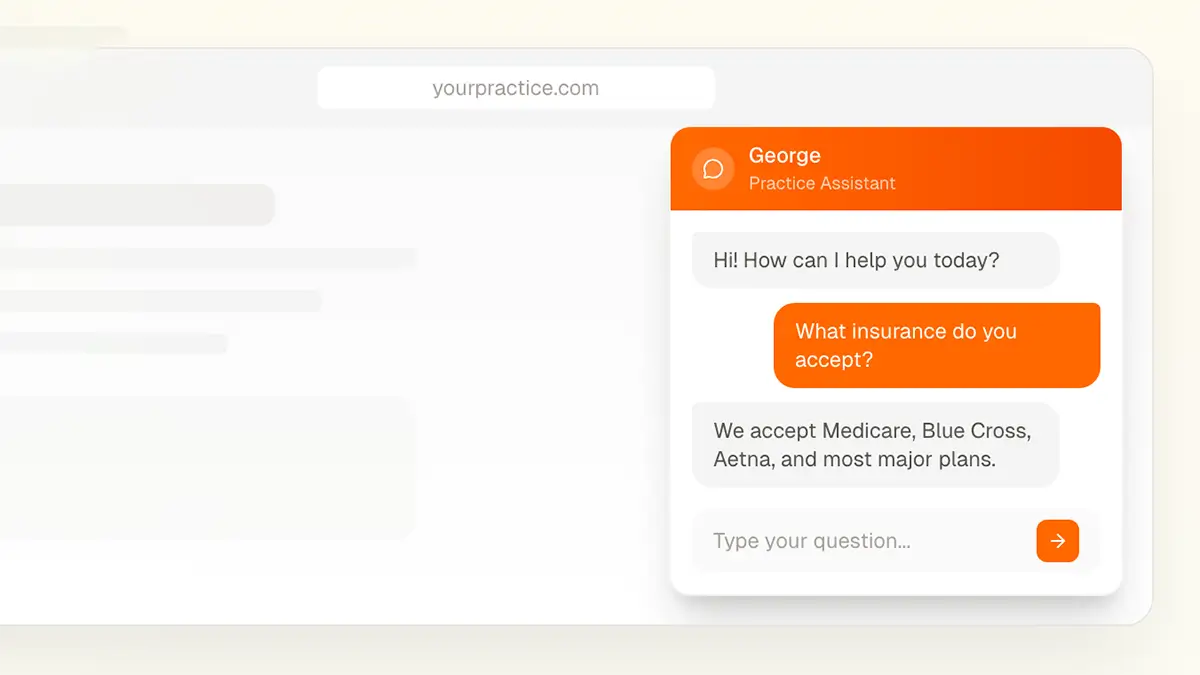
- Which insurance plans you accept
- General billing questions
- Payment options
- Who to contact for billing issues
Appointment Preparation
- What to bring to appointments
- How early to arrive
- Pre-procedure instructions
- Fasting requirements
General Practice Information
- Services offered
- Provider information
- How to request records
- New patient information
Post-Visit Information
- General recovery instructions
- When to call the office
- Prescription pickup information
- Follow-up scheduling information
What Chatbots Shouldn’t Do
Keep chatbots away from:
Clinical advice. Chatbots should never diagnose symptoms or recommend treatments. If patients ask clinical questions, the chatbot should direct them to call the office or, if urgent, seek emergency care.
PHI access. Basic chatbots shouldn’t access patient records. More advanced patient portal integrations exist, but they require significantly more compliance work.
Appointment scheduling. Some chatbots offer scheduling, but it requires EHR integration and careful setup. Start simpler.
Prescription questions. Anything involving medications should go to clinical staff.
Results You Can Expect
Well-implemented medical practice chatbots typically achieve:
Call Volume Reduction
- 30-40% reduction in routine calls
- Biggest impact on “hours and location” type questions
- Less impact on complex or clinical questions
After-Hours Coverage
- 24/7 availability for basic questions
- Patients can get information without waiting for office hours
- Reduces Monday morning call backlogs
Patient Satisfaction
- Instant responses vs. hold times
- Information available when patients want it
- Frees staff to give better service to complex needs
Staff Impact
- Front desk can focus on patients in the office
- Fewer interruptions for routine questions
- Reduced phone fatigue
What Makes Medical Chatbots Different
Healthcare chatbots have unique requirements that generic business chatbots don’t address:
HIPAA Compliance
Even chatbots that don’t access PHI need proper setup:
- Conversations may inadvertently include PHI (patient shares symptoms)
- Data storage and retention must be appropriate
- BAA may be required depending on implementation
- Logs should be maintained for compliance purposes
Medical Context
Generic chatbots don’t understand medical terminology or context. Healthcare-specific chatbots handle:
- Medical terminology patients might use
- Appropriate urgency detection (recognizing when symptoms need immediate attention)
- Healthcare-specific conversation flows
- Appropriate disclaimers and limitations
Escalation Paths
Medical chatbots need clear paths to human help:
- Easy handoff to live staff during office hours
- Clear instructions for after-hours emergencies
- Recognition of situations requiring human intervention
- Callback request functionality
Liability Considerations
Medical practices face unique liability:
- Clear disclaimers that chatbot doesn’t provide medical advice
- Appropriate responses to symptom-related questions
- Documentation of chatbot interactions
- Regular review of chatbot responses
Learn more about AI compliance →
Implementation Approaches
There are several ways to add chatbot functionality to your practice:
Website Chat Widget
The most common approach—a chat interface on your website.
Pros:
- Easy to implement
- Catches patients already visiting your site
- Can integrate with existing website
Cons:
- Only reaches patients on your website
- May require patients to navigate to your site first
SMS/Text-Based
Patients can text questions to a dedicated number.
Pros:
- Meets patients where they already communicate
- No app download required
- Higher engagement rates than web chat
Cons:
- More complex compliance requirements
- Carrier fees may apply
- Requires clear opt-in process
Patient Portal Integration
Chatbot embedded within your patient portal.
Pros:
- Authenticated environment (knows who the patient is)
- Can potentially access more information
- Integrates with existing patient workflow
Cons:
- Requires portal integration
- More complex implementation
- Patients must already be portal users
Phone-Based (IVR Enhancement)
AI that handles voice calls, either replacing or augmenting IVR.
Pros:
- Intercepts calls before reaching staff
- Works for patients who prefer calling
- Can handle after-hours calls
Cons:
- More expensive
- Voice AI still less accurate than text
- Some patients frustrated by “talking to a robot”
Building Your Chatbot’s Knowledge Base
A chatbot is only as good as the information you give it. Here’s how to build effective content:
Start With Your FAQ
What questions does your front desk answer most often?
- Survey your staff for a week
- Review website FAQ page (if you have one)
- Check your call logs for common topics
- Ask patients what information they looked for
Write Clear, Complete Answers
For each question:
- Write as you’d speak to a patient
- Include all relevant details
- Anticipate follow-up questions
- Keep language accessible (avoid jargon)
Organize Logically
Group related information:
- Office information (hours, location, contact)
- Insurance and billing
- Appointment preparation
- Services and procedures
- Provider information
- Patient forms and records
Plan for Updates
Information changes:
- Holiday hours
- Provider schedules
- Insurance contract changes
- New services
- Policy updates
Build a process for keeping chatbot information current.
Common Chatbot Mistakes
We’ve seen practices struggle with chatbots when they:
Over-Promise Capabilities
Mistake: Marketing the chatbot as able to handle anything.
Result: Patients frustrated when chatbot can’t answer clinical questions.
Fix: Set clear expectations about what the chatbot can and can’t do.
Under-Invest in Content
Mistake: Launching with minimal Q&A content.
Result: Chatbot frequently can’t answer questions, undermining trust.
Fix: Build comprehensive content before launching.
Ignore Escalation
Mistake: No easy path from chatbot to human help.
Result: Patients stuck in loops, growing increasingly frustrated.
Fix: Clear escalation options at every point.
Set and Forget
Mistake: Launching and never reviewing performance.
Result: Chatbot gives outdated or incorrect information.
Fix: Regular review of chatbot conversations and performance.
Generic Implementation
Mistake: Using a generic business chatbot without healthcare customization.
Result: Inappropriate responses to medical questions, compliance gaps.
Fix: Use healthcare-specific solutions or customize carefully.
Measuring Chatbot Success
Track these metrics to evaluate your chatbot:
Engagement Metrics
- Total conversations per day/week
- Conversation completion rate
- Questions answered vs. escalated
Deflection Metrics
- Phone call volume before/after
- Call reason breakdown changes
- After-hours inquiry handling
Quality Metrics
- Patient satisfaction with chatbot
- Accuracy of responses (spot-check)
- Escalation rate (should decrease over time as content improves)
Business Impact
- Staff time saved
- Patient access improvement
- After-hours coverage value
Getting Started
Here’s a practical path to chatbot implementation:
Week 1-2: Research
- Document common questions your staff answers
- Evaluate 2-3 chatbot solutions
- Review compliance requirements
- Get staff input on pain points
Week 3-4: Content Development
- Write answers for top 50 questions
- Organize content logically
- Plan escalation flows
- Create appropriate disclaimers
Week 5-6: Implementation
- Set up chatbot platform
- Load content
- Configure escalation options
- Test thoroughly
Week 7-8: Launch
- Deploy on website
- Monitor closely
- Gather feedback
- Address gaps quickly
Ongoing
- Monthly content reviews
- Regular performance analysis
- Continuous improvement based on data
The Bottom Line
AI chatbots aren’t magic, but they can meaningfully reduce the burden of routine questions on your front desk staff while providing patients with faster access to information.
The keys to success: realistic expectations, thorough content, clear escalation paths, and ongoing maintenance. Start simple, prove value, then expand.
Ready to Explore Chatbots for Your Practice?
We help medical practices implement AI chatbots that reduce call volume while maintaining HIPAA compliance and appropriate clinical boundaries.
Contact us to discuss chatbot options →
Or call us directly: (678) 824-2420